Garden Gnome Package
The Garden Gnome Package (GGPKG) is a package format for offline viewing and for content management systems to easily embed your projects into websites.
Use the Garden Gnome Package to view projects offline with our package viewers:
Upload the package to a WordPress, Joomla, or Drupal website to embed projects using our plugins.
The package can be created a few ways and are described below:
Create a Garden Gnome Package
- Add a Web output.
- Click the Generate Garden Gnome Package button to output the project.
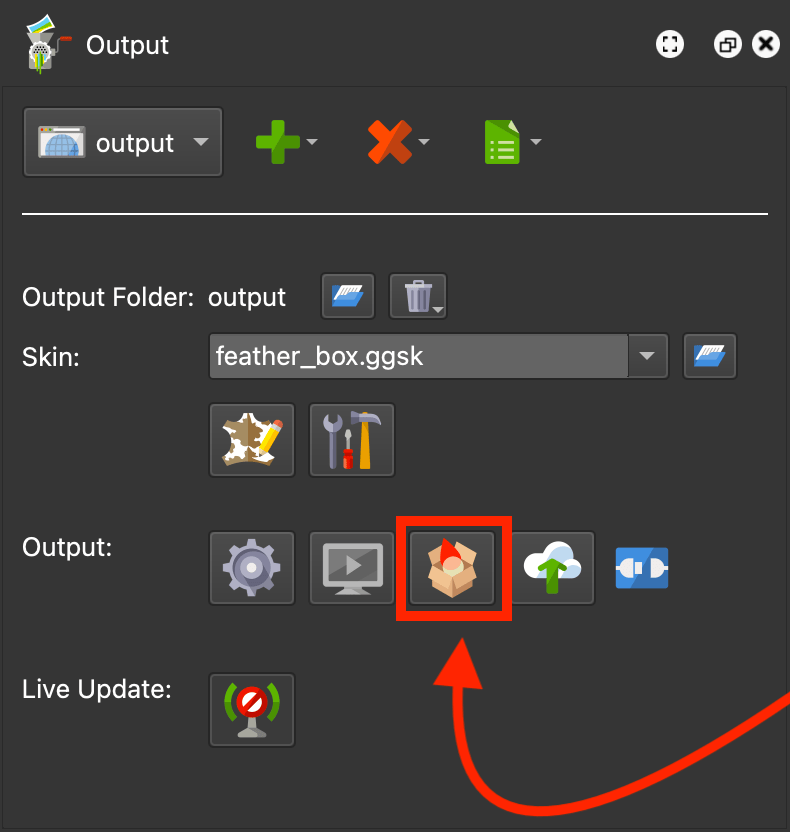
✭ Any assets added to the Web Output will also be included in the package. This is useful for when you need to bring external files into the package.
Create a Droplet that exports a Garden Gnome Package
Droplets are tools that automate the project building for you. Here, you can a droplet that will export a package file.
- Add n Web output.
- In the HTML panel, choose
ggpkg.ggtas the HTML template. - When finished setting up the output, go to the Toolbar and choose File > Save as Droplet….
Once the package is created, you can open it in one of the viewers mentioned above or upload it to a CMS.
Troubleshooting
Having troubles? Please take a look at the following requirements. If these don’t fix your issue, feel free to contact us.
-
Do not use numbers (0-9) in the beginning of the GGPKG’s file name.
-
Make sure the ZIP extension for PHP is installed on your server. In most cases, you will get an error message stating it is missing if it is not installed. You will then need to contact your host provider and ask them to install it for you.
-
Do not use special characters (á, $, ^, etc.) in the package filename.
-
Do not use spaces in the package filename.