Lens Flares
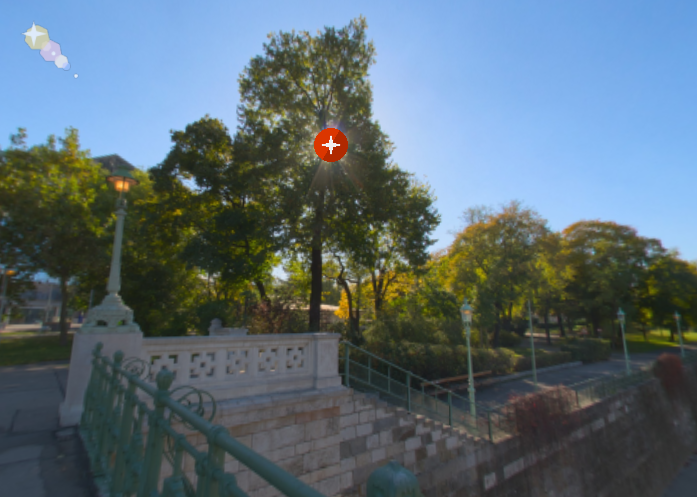
A lens flare is the result of light scattering within the camera's lens. The flare can present itself as haze or as a pattern of artifacts. Here, you can add this artifact to add greater depth and dimension to the image.
Workflow
Enter the Lens Flare mode via the
Viewer Modes or use f on
the keyboard.
Double-click in the Viewer to add a Lens Flare to a light source. Once you do this you’ll see the Lens Flare icon and its properties will open. A red icon means the lens flare is active, while a blue icon means it is not active.
✭ Copy and paste lens flares by right-clicking in the viewer with a lens flare active, and then choose Copy Active Media Element. Right-click anywhere in the panorama and select Paste Media Element to paste. You can also copy and paste lens flares in the List View panel.