This documentation is for an older version. View the current documentation.
FFmpeg
FFmpeg is a free software project that produces libraries and programs for handling multimedia data that Pano2VR uses to create poster frames for videos and export animation videos.
You’ll know if FFmpeg has not been installed if you cannot select Generate Video File in the Animation settings.
Download
- Go here: https://ffmpeg.org/download.html
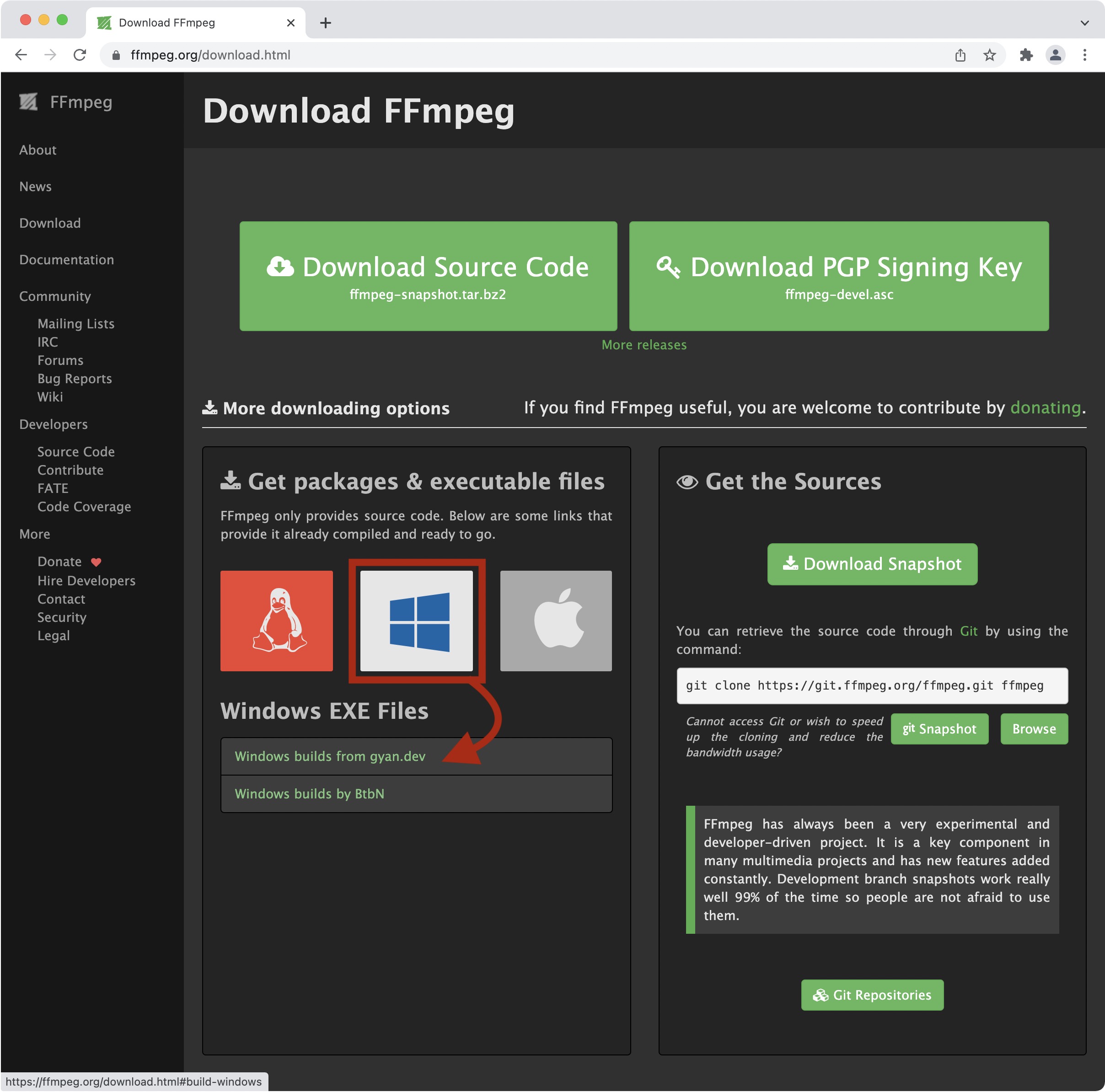
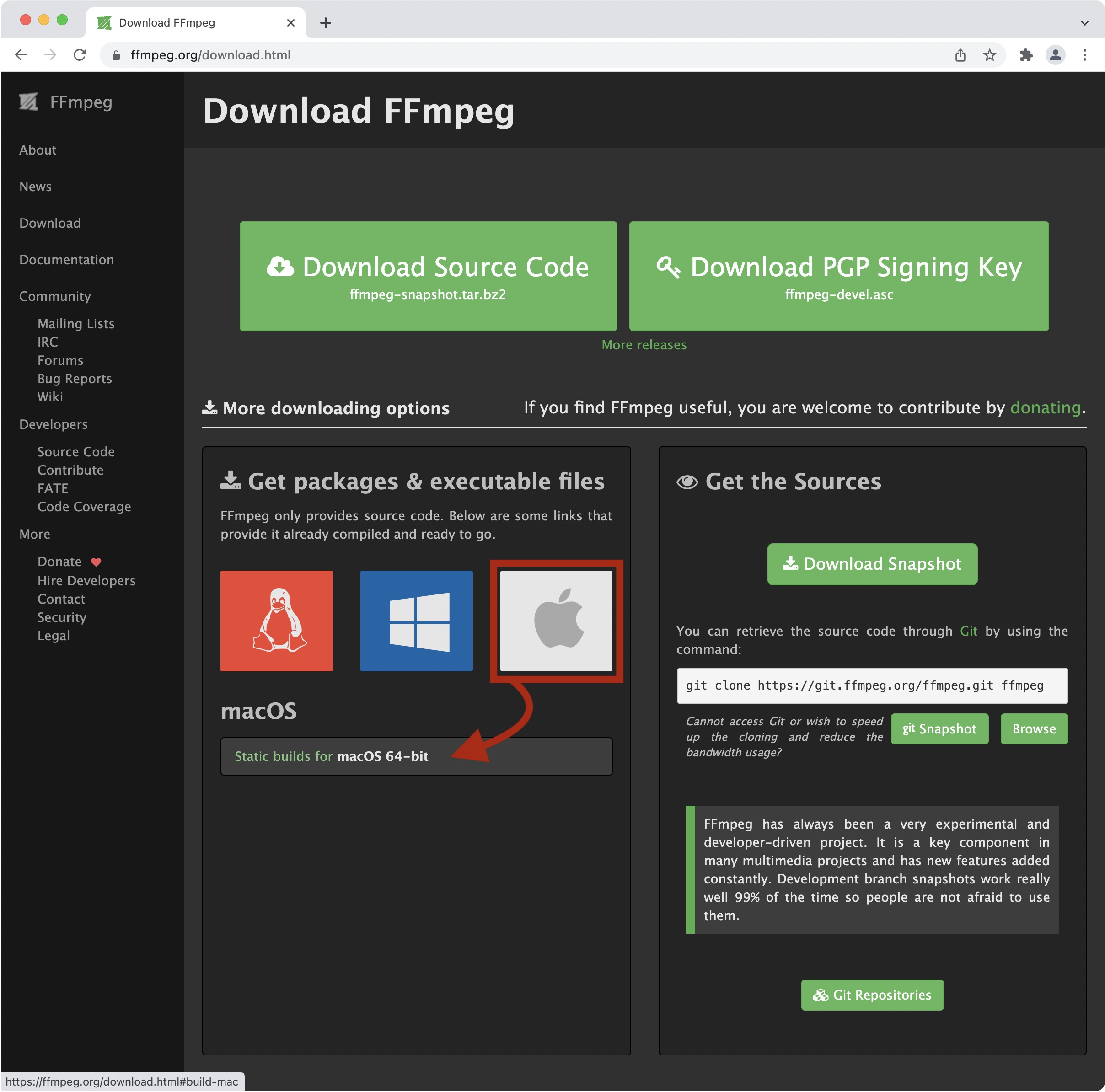
- Go to the Get Packages & executable files section and hover your mouse over your operating system to reveal a source to download ffmpeg.
- For Windows, click the first source option. For macOS, there is only one
source to choose from.
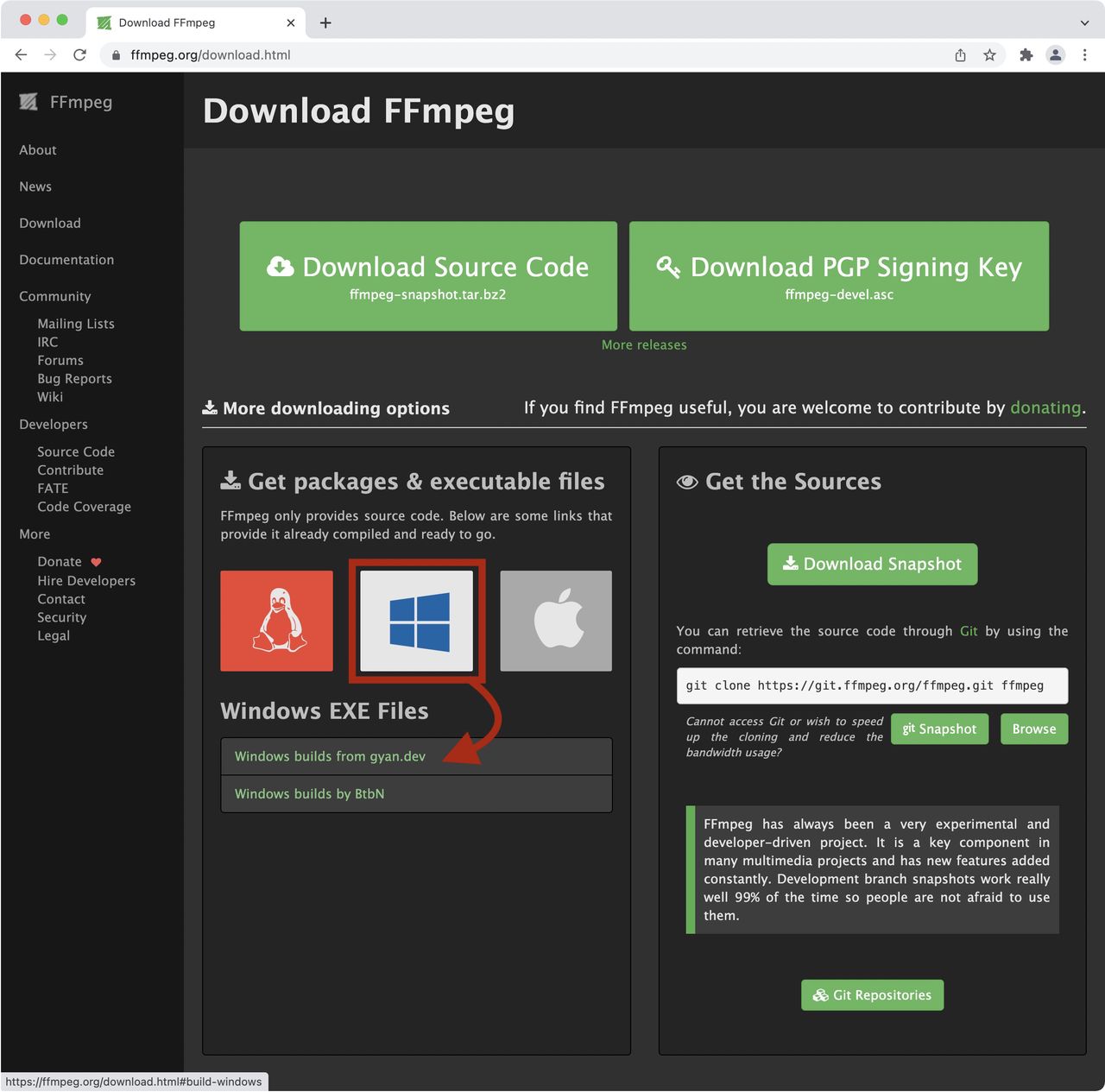
Windows Options 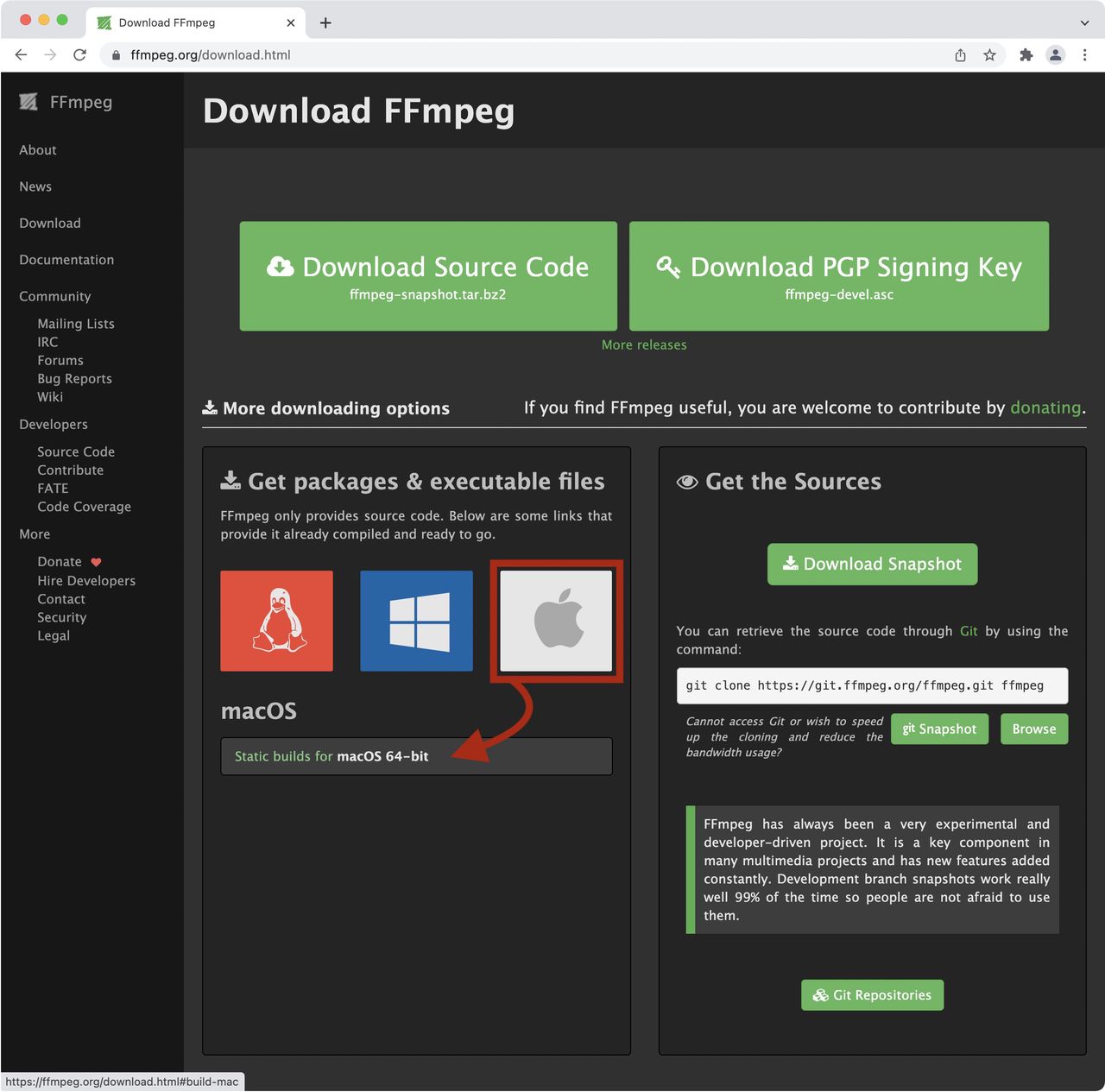
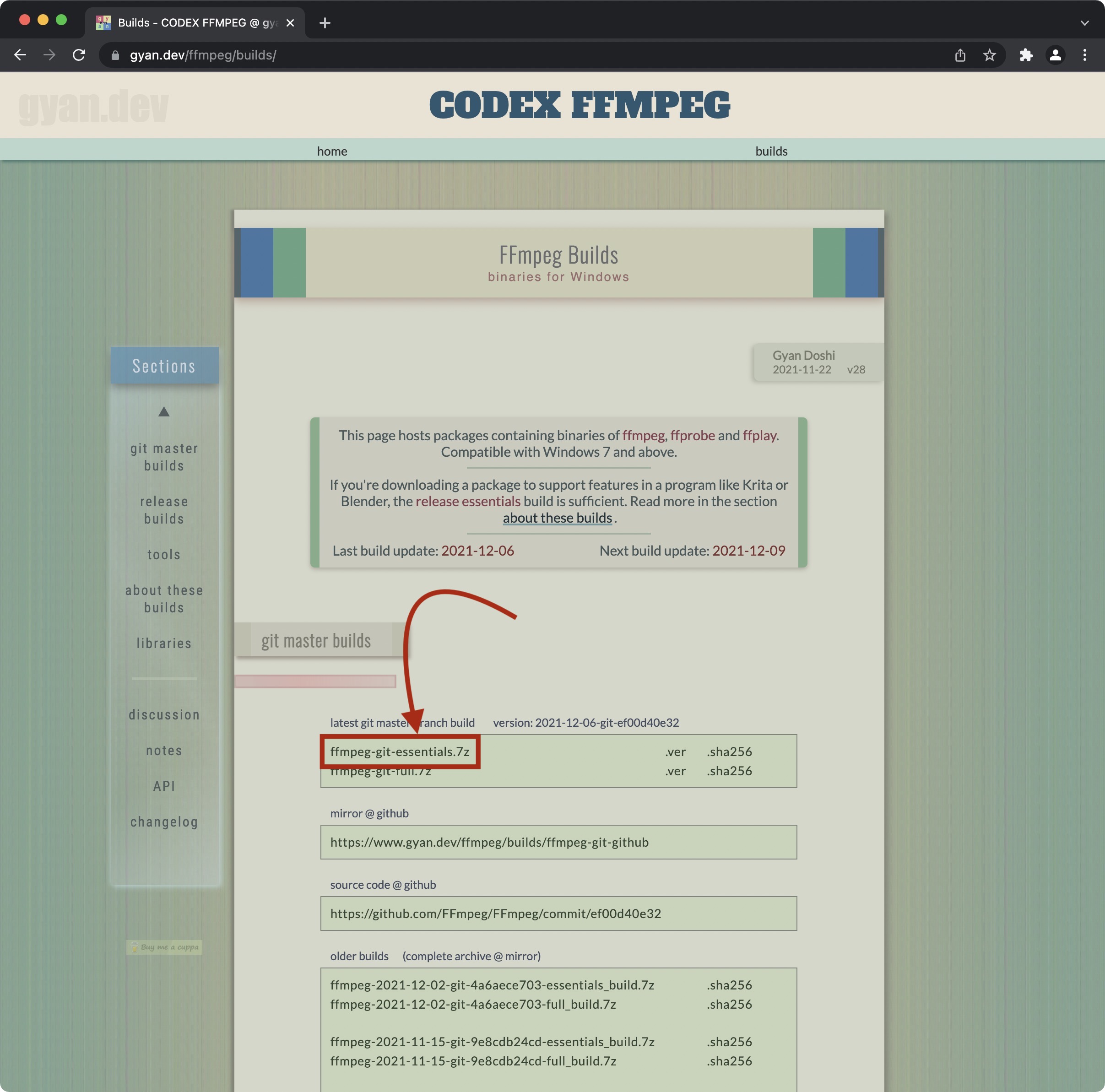
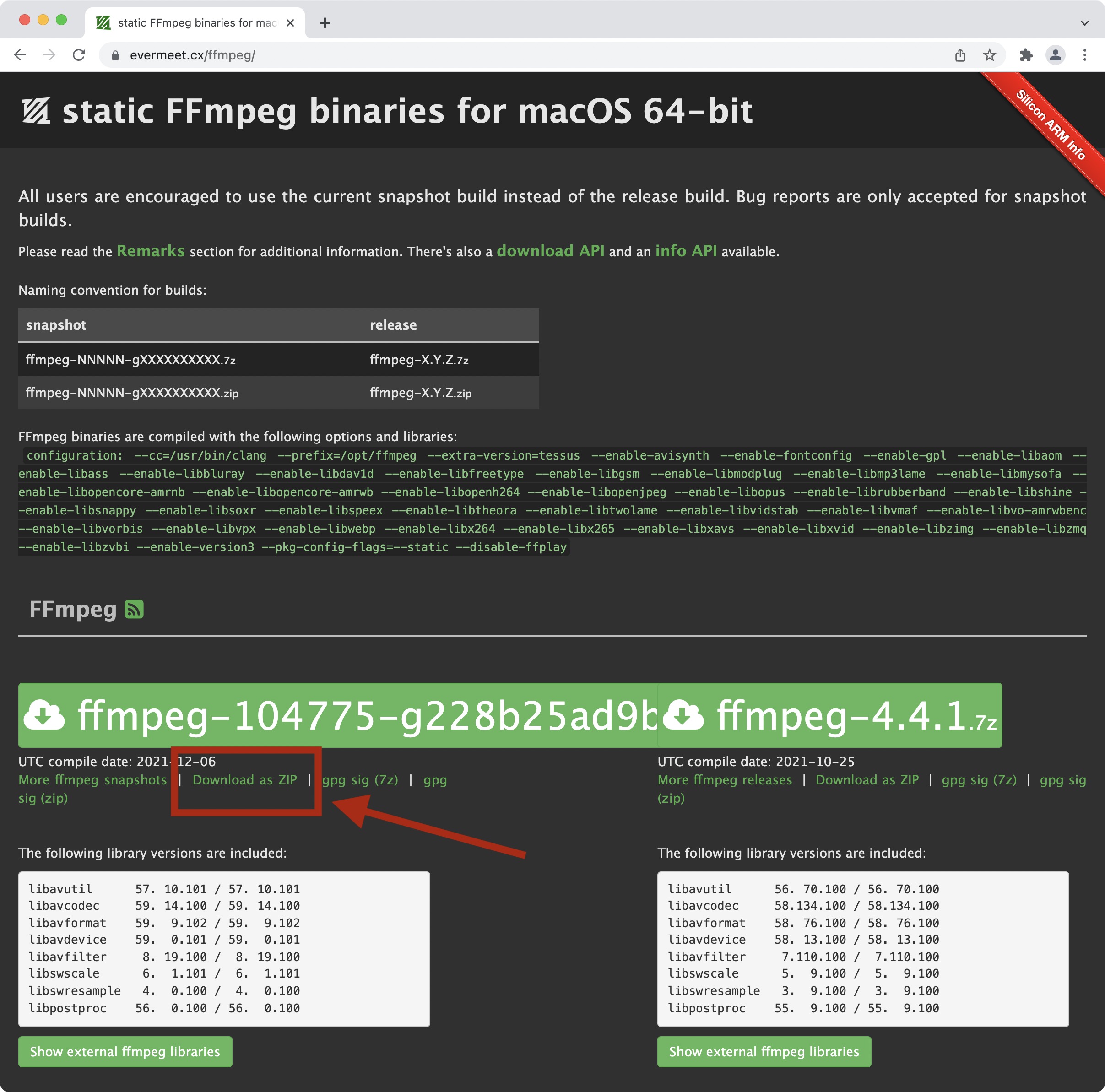
MacOS Options - Select the compressed file to download. For Windows, choose the first
option in the list (see image.). For macOS, Click on Download as ZIP
where indicated in the image below.
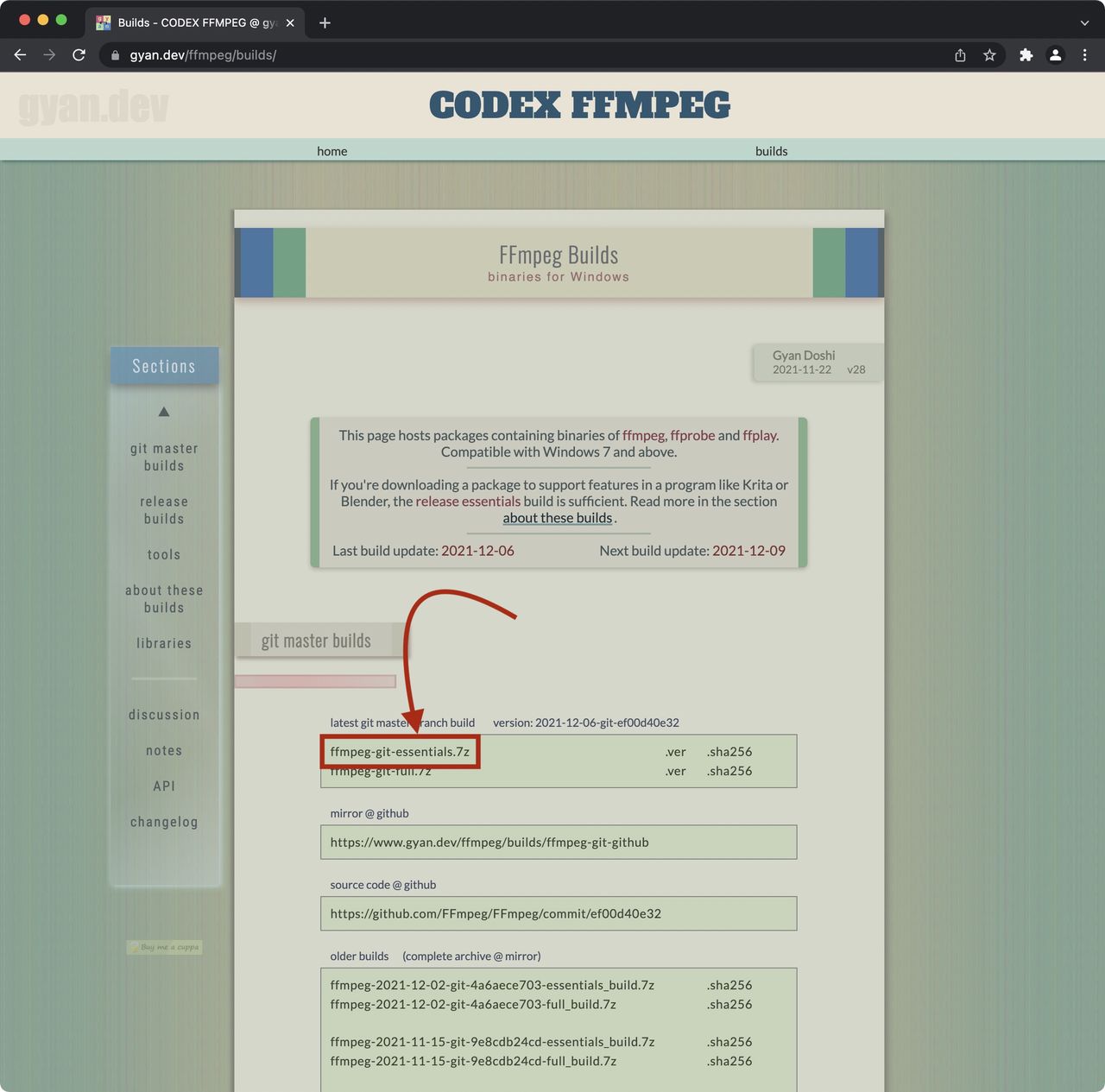
Windows Download 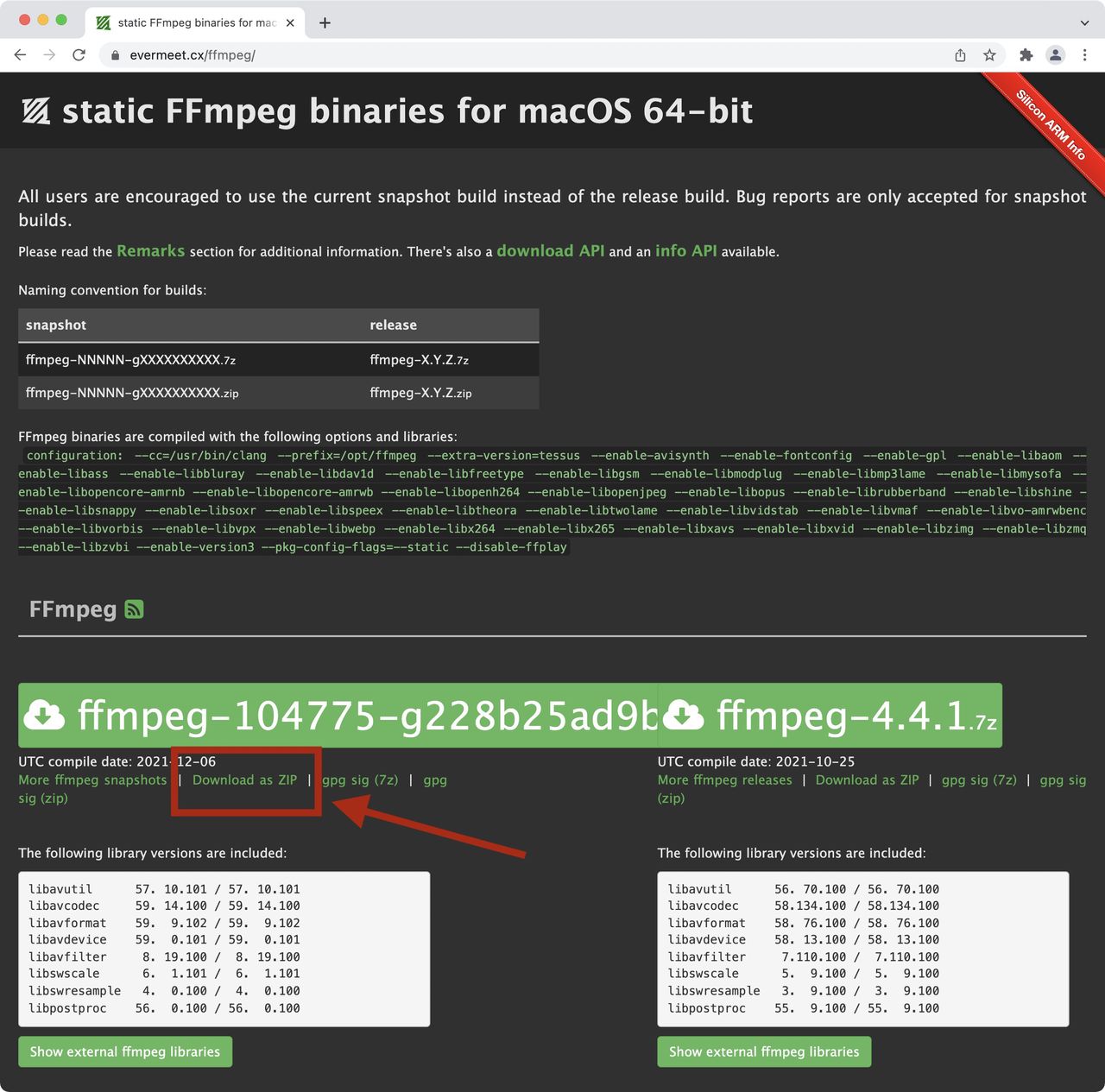
macOS Download
Install
-
Decompress (open) the package files. For Windows, add the
ffmpeg.exefile to your Programs directory. For macOS, add theffmpegfile to your Applications directory. -
Open Pano2VR and go to the FFmpeg tab in Settings/Preferences.
-
Click Choose and navigate to the
ffmpeg.exefile on Windows and on Mac theffmpegfile. Select the file and click Open to enter its path.
Done!