Pano2VR Tutorials
Below is a list of numerous video tutorials intended to help you get the most out of Pano2VR.
What’s New
| Title | Description | |
|---|---|---|
|
What’s New with version 8 | A general round-up of all the new features in Pano2VR 8 beta. |
The Basics
| Title | Description | |
|---|---|---|
|
Getting Started with Pano2VR | Get started with Pano2VR by learning how to build a virtual tour. (recorded in v7; workflow changed slightly, update comming soon) |
|
Leveling Panoramas in Pano2VR | Learn how to quickly level your panoramas. (recorded in v7; workflow unchanged) |
|
Gnome Cloud Hosting | Learn how to upload your tours directly to the cloud from within Pano2VR using Gnome Cloud. (recorded in v7; workflow unchanged) |
3D Models
| Title | Description | |
|---|---|---|
|
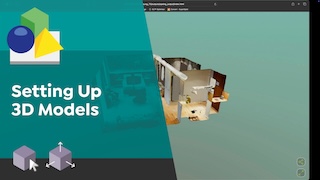
Adding and Setting Up 3D Models | Learn how to import and set up 3D mesh models and Gaussian splats in Pano2VR. |
|
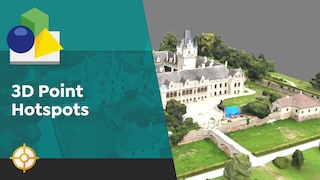
Working with 3D Hotspots in Pano2VR | Learn how to work with point hotspots in 3D models using Pano2VR 8. |
|
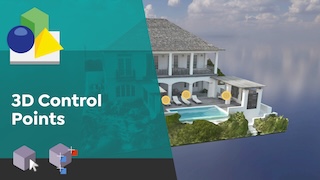
Working with 3D Control Points | Learn how to add control points to align panoramas to 3D models. |
|
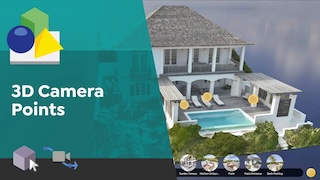
Working with 3D Camera Points | Learn how to add custom camera paths for transitions between 3D models and panoramas. |
Patching
| Title | Description | |
|---|---|---|
|
Getting Started with Patches | Learn how to use patches to cover a tripod or nadir in a single node and for an entire tour. (recorded in v7; workflow unchanged) |
|
Layered Patches and Object Removal | Learn how create a multi-layered patch using only Pano2VR. Then, learn how to remove large objects using duplicate panoramas. (recorded in v7; workflow unchanged) |
Skin Editor
| Title | Description | |
|---|---|---|
|
Getting Started with Building Skins | Learn how to create a custom skin for virtual tour. (recorded in v7; workflow unchanged) |
|
How to Customize Icons | Learn how to swap out the icons for your own images in the built-in skins.(recorded in v7; workflow unchanged) |
|
How to Customize Preview Images | Learn how to customize the preview images in the thumbnail menus and node hotspots in the built-in skins. (recorded in v7; workflow unchanged) |
Extending Pano2VR
These tutorials are for anyone willing to learn how to extend Pano2VR’s capabilities using some programmatic techniques. Tutorials presented by Thomas Bredenfeld.
(recorded in v7; workflow unchanged)
All videos are published on YouTube and Vimeo.
| Title | Description | |
|---|---|---|
|
Extending Pano2VR with JavaScript and CSS: An Introduction | Learn how to extend your Pano2VR projects using JavaScript and CSS. Whether you’re a beginner or looking to deepen your knowledge, this is the ultimate introduction to unlocking the full potential of Pano2VR. |
|
Extending Pano2VR – Development Setup | Learn how to best set up your project, learn about different code editors, styling skin elements, custom fonts and more. |
|
Extending Pano2VR – Loading External HTML Files | Learn about the connection between a Pano2VR project and an external data source (HTML files for node descriptions) and about the practical usage of jQuery and find out what AJAX is and how you can use this JavaScript technique to manipulate your VR tour content. |
|
Extending Pano2VR – Project with Bootstrap & JQuery | This is the fourth tutorial in a series on extending Pano2VR with JavaScript and CSS. It offers an in-depth, step-by-step walkthrough of a project that combines Pano2VR, Bootstrap, and jQuery. |
|
Extending Pano2VR – Building an Image Gallery with JavaScript | Tutorial #5 shows the whole process of building up a JavaScript based image gallery which can be opened from a hotspot. |
|
Extending Pano2VR – Using REST API for external data | This last episode of the tutorial series about “Extending Pano2VR with JavaScript” is nearly a full-blown course about integrating external data sources in your Pano2VR projects. |