You only need to upgrade your license if:
- Upgrading to a major release (i.e., from 7.0 to 8.0)
- Object2VR single user to ObjectVR studio or Object2VR pro
- Adding additional users
If you purchased your license from a reseller, please contact the reseller to upgrade your license.
If you purchased your license from the Mac App Store, please contact support to get your upgrade.
To upgrade:
- Log in to your account at http://ggnome.com/my-account.
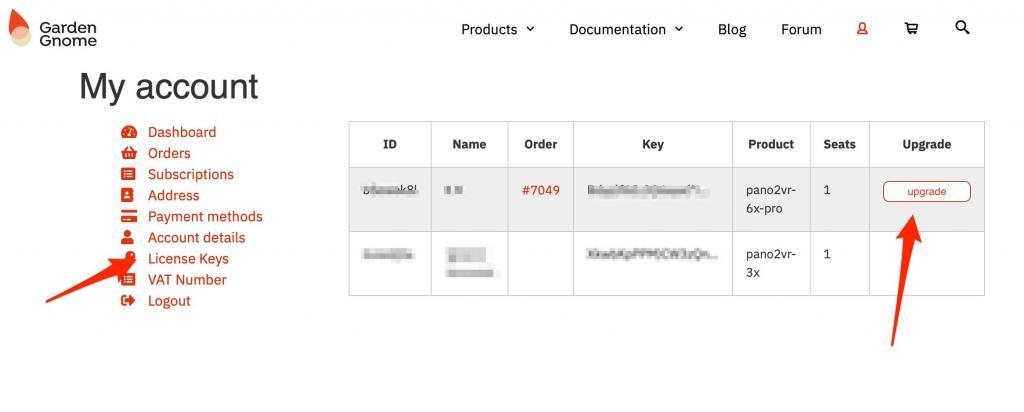
If you purchased a license in the past but haven’t activated your account yet, you can use Lost your password? and enter the email address associated with your license. You will then receive an email to reset your password. - Click License Keys to see all of your licenses.
- Click upgrade to see available options (upgrade to new version, or to add more users). If you don’t see upgrade next to your license, then no upgrades are available.
- On the next page, click Upgrade to go through the payment process.
Once the payment is confirmed, you will receive an email containing your license. Your new license will also be available in your account. - Next, open the new version of Pano2VR or Object2VR. You will see a Welcome Screen. At the bottom of that screen, click I have a license key. This will open a browser window prompting you to log in to ggnome.com. Once logged in, give permission to connect to your account to activate the key.